Appearance
Study material
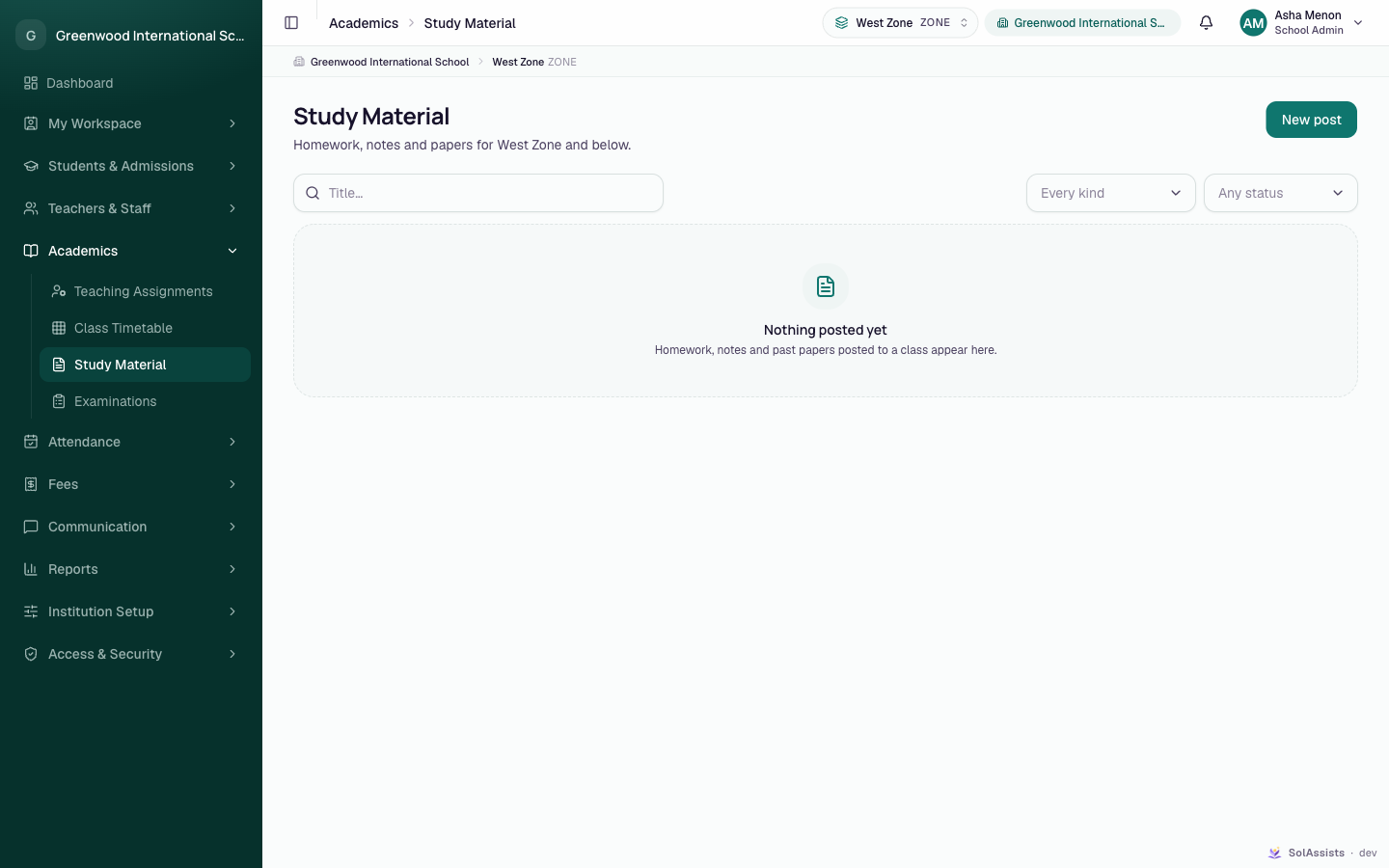
School Admin TeacherPost homework, classwork, notes, past question papers and class announcements to a class. Posts start as drafts. Publishing one tells parents about it, and posts can be archived later.
Partially implemented
Text posts can be drafted, published and archived. Files can't be attached from the app, drafts can't be deleted, and students and parents have no working screen to read posts yet (see What families see).
Before you start
- SOL has switched on Study Material for your institution. It is an add-on, and it needs Academics.
- An academic session is marked current. Otherwise you see "This institution has no current academic session yet." See Academic sessions.
- For teachers: a teaching assignment for each class you post to. Without one, the Class list is empty. See Teaching assignments.
- Subjects are optional. See Subjects.
Where to find it
Academics → Study Material (heading Study Material).
Kinds of post
| Kind | Extra field required |
|---|---|
| Homework | Due date |
| Classwork | — |
| Notes | — |
| Question paper | Paper year |
| Announcement | — (a class notice; for institution-wide notices use Announcements) |
Step by step
Draft a post
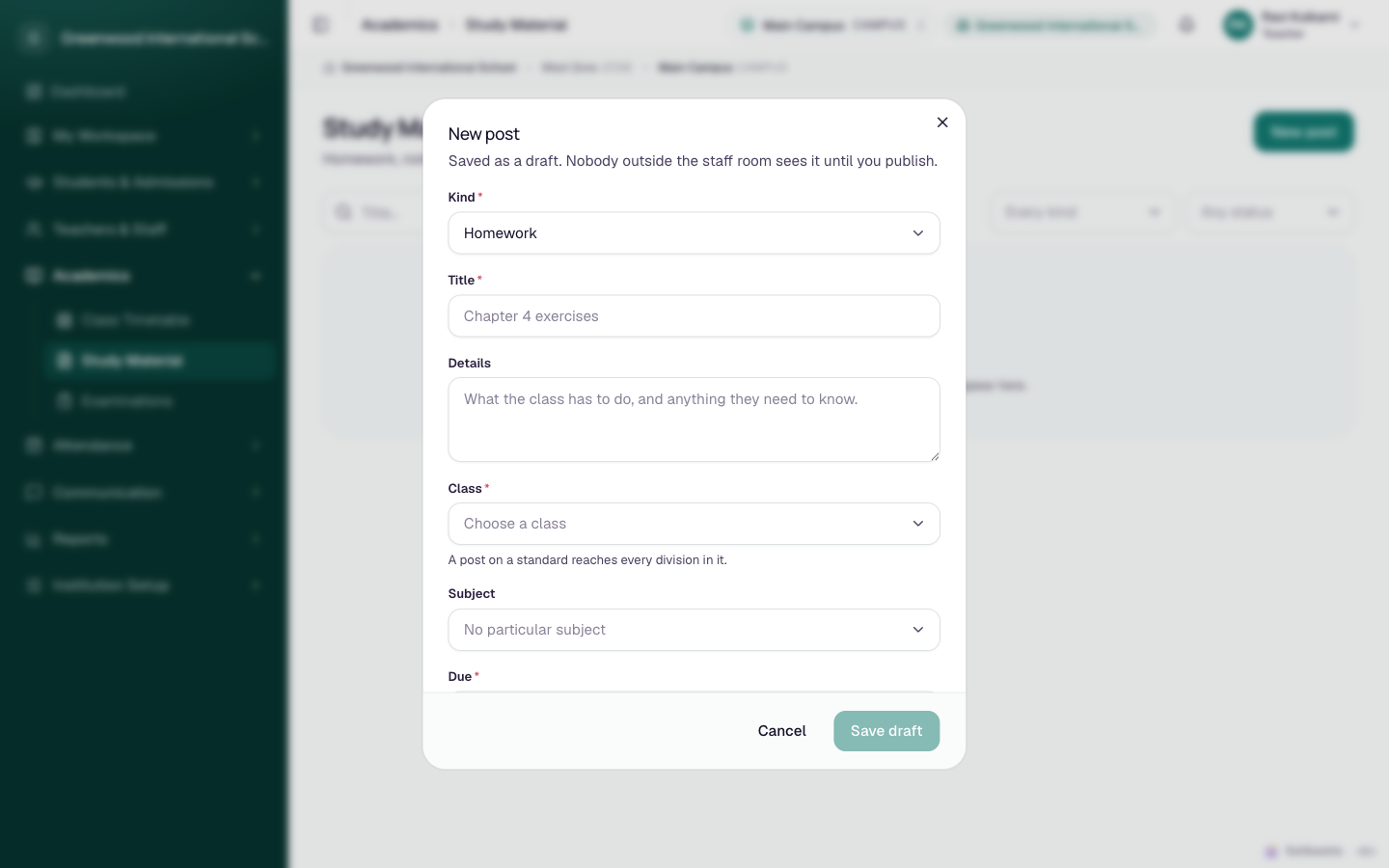
- Click New post.
- Fill in the fields (below).
- Click Save draft. "Saved as a draft. Nobody outside the staff room sees it until you publish."
Publish a post
- On a Draft row click Publish.
- Check the confirmation. It names the class, says parents will be notified, and warns "It cannot be un-published — only archived."
- Click Publish and notify.
If the post has only a title, the dialog says Nothing to publish yet and the button is disabled. Edit the post and add Details first.
Edit or archive
- Click a row, or the pencil icon, to open Edit post. The Kind and Class can't be changed after the post is created. Click Save changes.
- Click the archive icon and confirm Archive ("Archive this post?"). Archived posts stay in the list under the Archived filter. Archived posts can't be edited.
Use the search box (Title…) and the Every kind / Any status filters (Drafts, Published, Archived) to find posts.
Fields
| Field | Required | What to enter |
|---|---|---|
| Kind | Yes | Homework (default), Classwork, Notes, Question paper, Announcement |
| Title | Yes | Up to 160 characters, e.g. "Chapter 4 exercises" |
| Details | Needed to publish | What the class has to do; up to 20,000 characters |
| Class | Yes (new posts) | A standard or division. "A post on a standard reaches every division in it." |
| Subject | No | Or No particular subject |
| Due | Homework only | The due date |
| Paper year | Question paper only | The year the paper is from (1900–2200) |
What happens next
- Publishing notifies the parents of students in that class, once each. This depends on the notification service. If the service is unavailable, the post still publishes.
- Publishing is recorded in the Audit trail.
- The list's Files column counts attachments. Posts created in the app always show "—".
What students and parents see
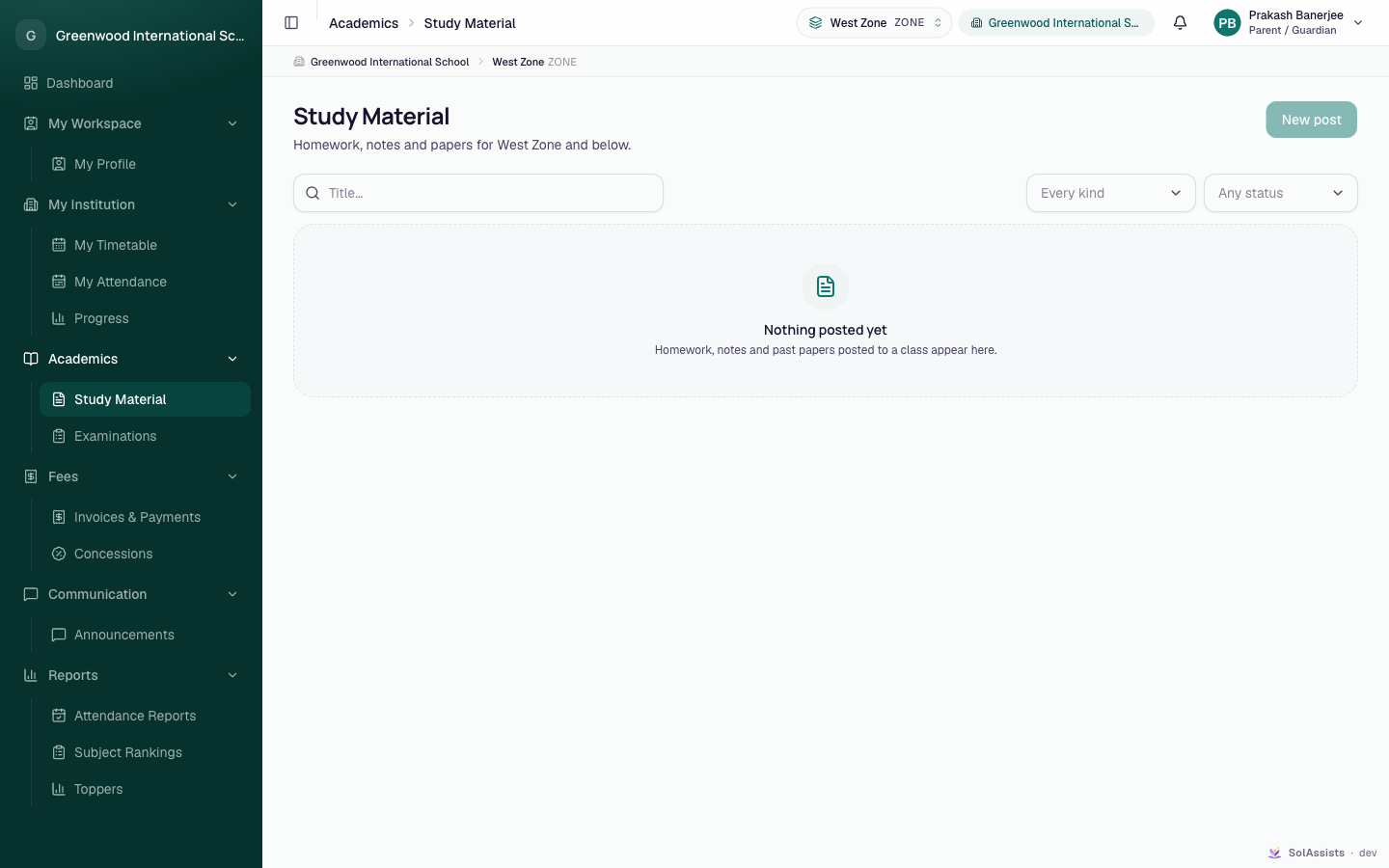
Families can't read posts in the app yet
Students and parents see Academics → Study Material in their sidebar. When they open it, the list is always empty ("Nothing posted yet") and New post is disabled. That happens even when posts have been published for their class. A family screen for reading published posts is not built yet. Until it is, share homework through Announcements if families must see it in the app.
Who can do this
| Task | School Admin | Teacher | Student / Parent |
|---|---|---|---|
| See the post list | Yes | Their own classes | Empty (see above) |
| New post, edit | Yes | Their own classes | No |
| Publish, archive | Yes | Their own classes | No |
Teachers can post only to classes they have a teaching assignment for in the current session.
Common problems
| Symptom | Why | Fix |
|---|---|---|
| Class list is empty | Teacher has no teaching assignment, or no current session | See Teaching assignments |
| Save draft stays disabled | Title or Class missing, or Due / Paper year missing for that kind | Fill in the required field |
| Nothing to publish yet | The post has a title only | Add Details |
| "An archived post cannot be edited" | The post is archived | Create a new post |
| Parents say they can't find the homework | No family reading screen yet | See the warning above |
| No way to attach a PDF or worksheet | Attachments are not in the app yet | Put the key information in Details |